SharePoint & OneDrive in the Terminal — Rust TUI, CLI & MCP Server
Navigate SharePoint sites, document libraries, custom metadata columns, and personal OneDrive drives from one fast Rust binary (`sharepoint` & `bitefoundry-onedrive`) with 20 MCP tools.
$npm i -g @bitefoundry/sharepoint
$brew install bitefoundry/tap/sharepoint # or: curl -fsSL https://bitefoundry.dev/i | sh -s sharepoint
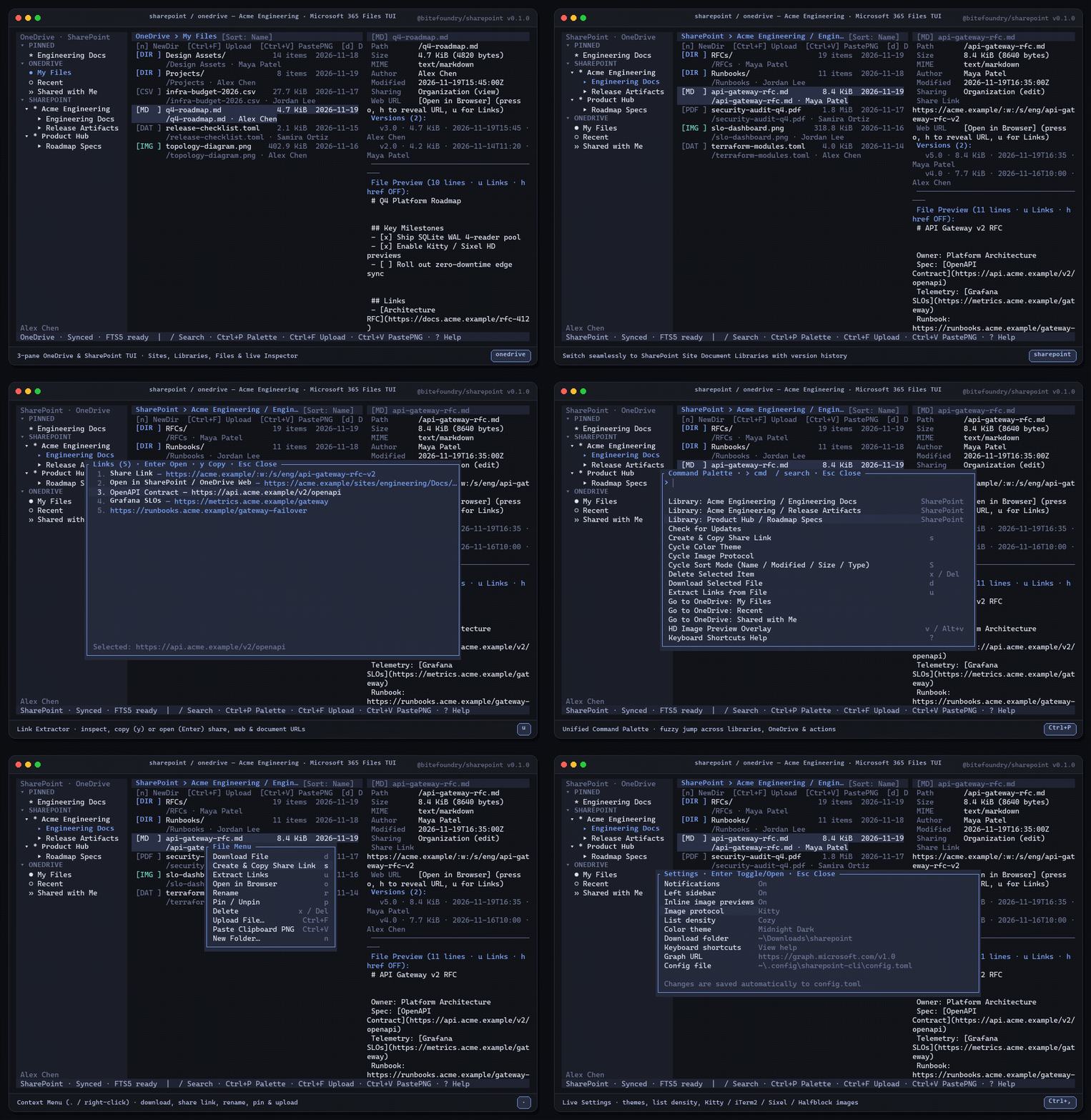
Key Capabilities
Unified SharePoint + OneDrive Binary
Includes both `sharepoint` and `bitefoundry-onedrive` commands to browse corporate SharePoint document libraries and personal OneDrive drives in one tool.
ETag-Safe Uploads & Zero-Redownload Previews
Prevents accidental overwrites using HTTP ETag concurrency checks and caches uploaded file previews locally.
Custom Columns & List Schema Caching
Caches SharePoint custom metadata columns and list schemas in local SQLite so structured filtering and agent queries stay fast.
20 MCP Tools for Document Workflows
Let Claude Code, Codex, or Cursor search SharePoint files, inspect metadata, download specs, or upload artifacts directly from your terminal.
Quickstart & MCP Agent Setup
sharepoint                    # Launch interactive SharePoint & OneDrive TUI
bitefoundry-onedrive          # Open directly in personal OneDrive view
sharepoint search "spec" --json # Instant SQLite FTS5 file & metadata search
sharepoint mcp # Start 20-tool stdio MCP server for AI agents{
"mcpServers": {
"sharepoint": {
"command": "sharepoint",
"args": [
"mcp"
]
}
}
}
Representative MCP tools (io.github.BiteFoundry/sharepoint): list_sites, list_drives, list_files, get_file_info, download_file, upload_file, search_items.
BiteFoundry SharePoint vs. Traditional Desktop / Web Client
| Dimension | BiteFoundry SharePoint (Rust) | Electron / Browser Client |
|---|---|---|
| Navigation speed | Parallel 6-stream discovery + local SQLite tree | Slow multi-page SharePoint web UI |
| Concurrency safety | ETag-checked uploads & updates | Silent overwrite risk in manual syncs |
| AI Agent access | 20 stdio MCP tools + --json CLI | No built-in MCP server |
| Cross-platform | Windows, macOS, and Linux native binaries | OneDrive desktop client missing on Linux |
Frequently Asked Questions
Does @bitefoundry/sharepoint work for personal OneDrive as well as SharePoint?
Yes. Installing @bitefoundry/sharepoint provides both the `sharepoint` and `bitefoundry-onedrive` binaries covering SharePoint Online sites, document libraries, custom lists, and personal OneDrive drives.
Can I connect SharePoint and OneDrive to Claude Code or Cursor via MCP?
Yes. Run `sharepoint mcp` in your MCP server config to expose 20 tools for site/drive discovery, file search, metadata inspection, downloads, and ETag-safe uploads.
How does it preview files in the terminal?
It supports inline previews for Markdown, HTML, SVG, text, and images directly inside the Ratatui TUI without launching a browser.